Open the Morning Brief. Know what needs you today.
One screen, four lanes: Bookings, Property ops, Money, Compliance. Each card answers three questions: what happened, why it matters, and what button moves it forward. Handle the urgent items, dismiss the rest.
- Late vendors, unpaid bills, draft receipts to confirm
- Upcoming turnovers and cleaning visits
- Tax deadlines and compliance expirations
- "Done today" / "Not relevant" — cards disappear without deleting data

Every channel syncs. Every stay has a tax line.
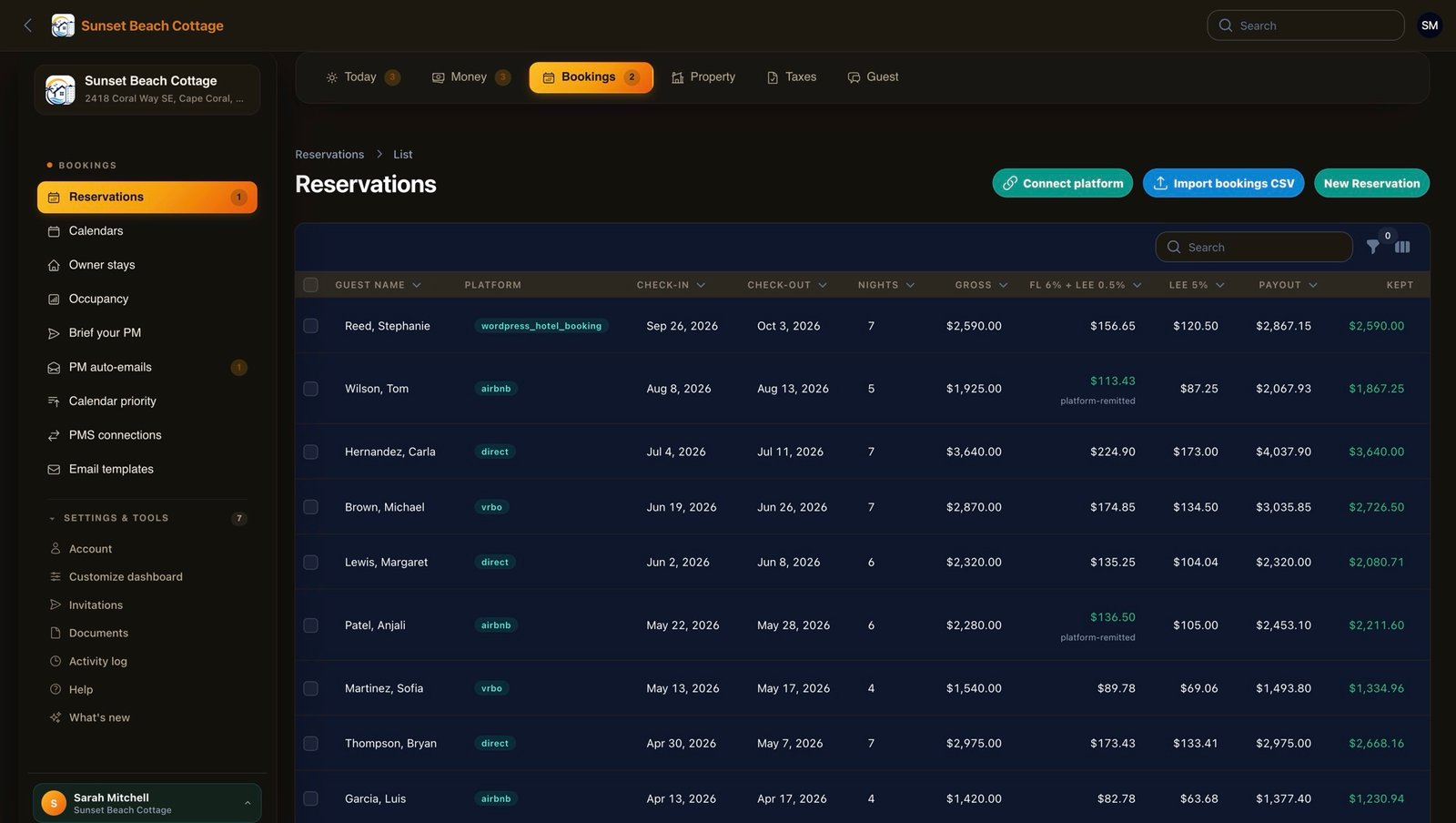
Connect Airbnb, VRBO, Smoobu, or any iCal feed. Bookings appear automatically with guest name, dates, platform, and gross/net amounts. Each carry its own tax rules — AwayWatch tracks which platform remits and which doesn't.
- Paste an iCal URL → bookings arrive in seconds
- Per-booking door codes for guest portal login
- Platform tax remittance tracking (Airbnb remits, direct doesn't)
- Occupancy calendar colour-coded by channel
Drop a receipt. The AI files it.
Photo, PDF, or forwarded email — AI extracts vendor, date, amount, and category. Upload your bank statement as CSV and charges auto-match invoices. Per-vendor utility analysis splits fixed from variable costs.
- AI extraction from photos, PDFs, forwarded emails
- Bank statement auto-matching with pattern memory
- Multiple email inboxes per property for bill ingestion
- PM transfers reconcile one lump sum → multiple vendor bills

Your CPA gets a packet. Not a phone call.
DR-15, Lee TDT, DR-405 — helper modals walk you through each form with copy-ready line numbers. Portal credentials saved encrypted. The Schedule E packet writes itself in January. Year-end closing checklist catches every missing receipt and unapproved draft.
- All 67 Florida counties with correct surtax rates
- Balance sheet, CPA packet, books-readiness score
- Estimated quarterly tax calculator
- K-1 and Form 8825 partnership support

Eyes on the house. Even from 5,000 miles away.
Templated inspections auto-generated from your room layout. Cleaners snap photos and tick items off. AI vision scans every photo for mildew, damage, and missing items — before they become guest claims. Vendor visits tracked with W-9 status and overdue alerts.
- Room-by-room inspection templates with AI photo scan
- Cleaning checklists with sign-off
- Vendor service schedules and overdue alerts
- Property timeline for audit trail

11pm in Cape Coral. 5am in Luxembourg.
Guests log in with their email and door code. They ask anything in any language — the AI answers from your house manual, area facts, and previous Q&As. Lockouts and refund requests escalate to you automatically. Your phone stops ringing at 2am.
- Per-stay concierge trained on your house
- Automatic escalation for lockouts and refund requests
- Quick setup wizard — 18 questions to seed the knowledge base
- Bulk import facts from PDFs, photos, or pasted text

